Sandbox | Discovery Education Nurture Curiosity Thu, 02 Oct 2025 17:36:52 +0000 en-US hourly 1 https://wordpress.org/?v=6.8.3 Explore Mars, Anywhere: New TimePod Adventures Episodes Now Available on the Web https://www.discoveryeducation.com/blog/teaching-and-learning/explore-mars-anywhere-new-timepod-adventures-episodes-now-available-on-the-web/ Mon, 28 Jul 2025 21:20:31 +0000 https://www.discoveryeducation.com/?post_type=blog&p=195606 Discovery Education is thrilled to announce a major leap forward for TimePod Adventures – the multi-platform immersive learning series that sends students back and forward in time through story-rich, game-based adventures. Just in time for Back to School, educators and students can now access the Mars 2072 series of TimePod Adventures through web episodes on any device – no app required.  Available on Discovery Education’s new TimePod Adventures website and […]

The post Explore Mars, Anywhere: New TimePod Adventures Episodes Now Available on the Web appeared first on Discovery Education.

]]>

Discovery Education is thrilled to announce a major leap forward for TimePod Adventures – the multi-platform immersive learning series that sends students back and forward in time through story-rich, game-based adventures.

Just in time for Back to School, educators and students can now access the Mars 2072 series of TimePod Adventures through web episodes on any device – no app required. 

TimePod Hero Image

Available on Discovery Education’s new TimePod Adventures website and within the Discovery Education Experience platform, the essential companion for engaged PreK-12 classrooms, this exciting update brings the full experience of TimePod Adventures to any device with a web browser. Whether you’re using laptops, Chromebooks, tablets, or smartphones, the future of immersive learning is now just a click away. 

A New Chapter in the TimePod Journey

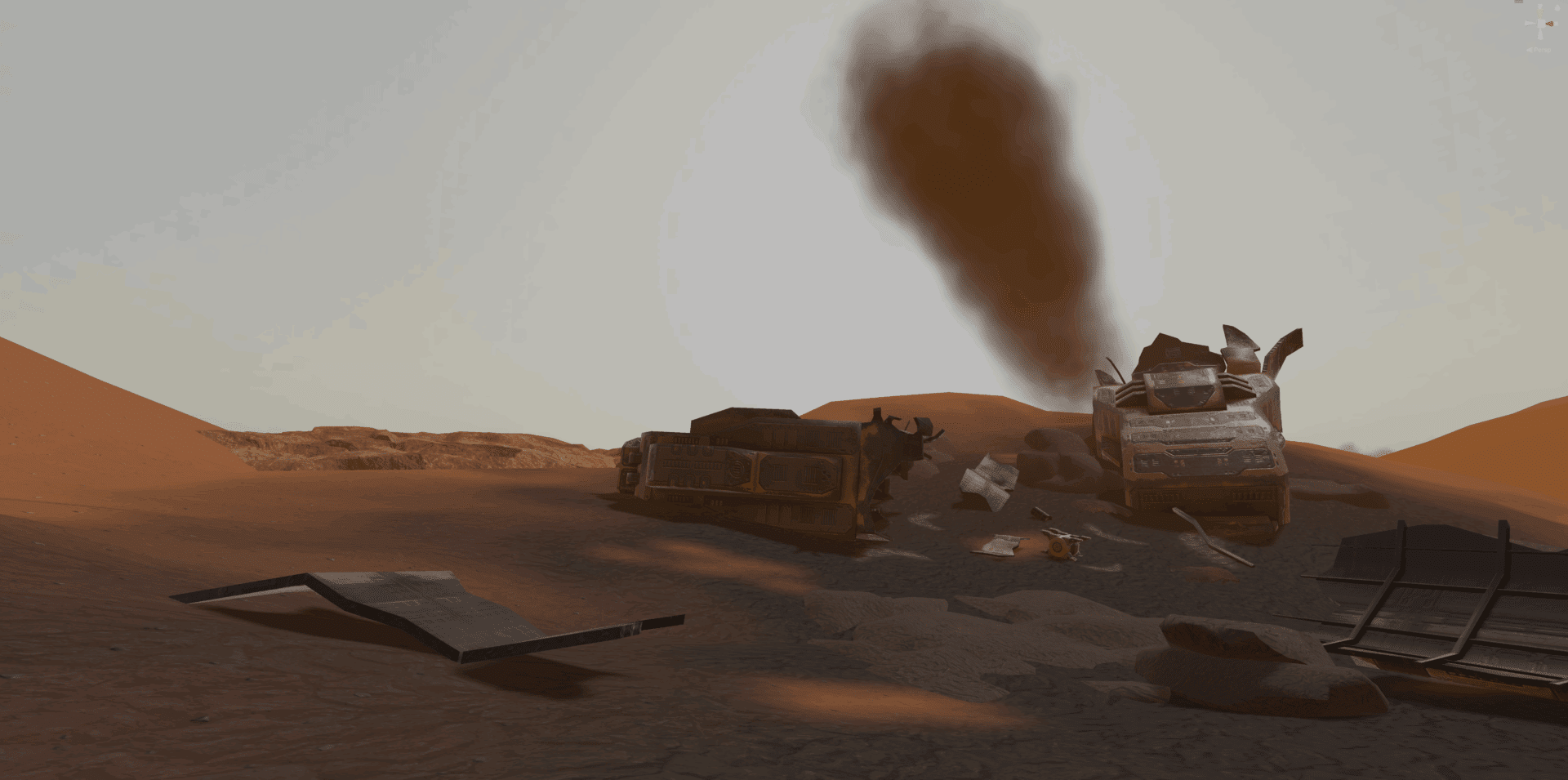
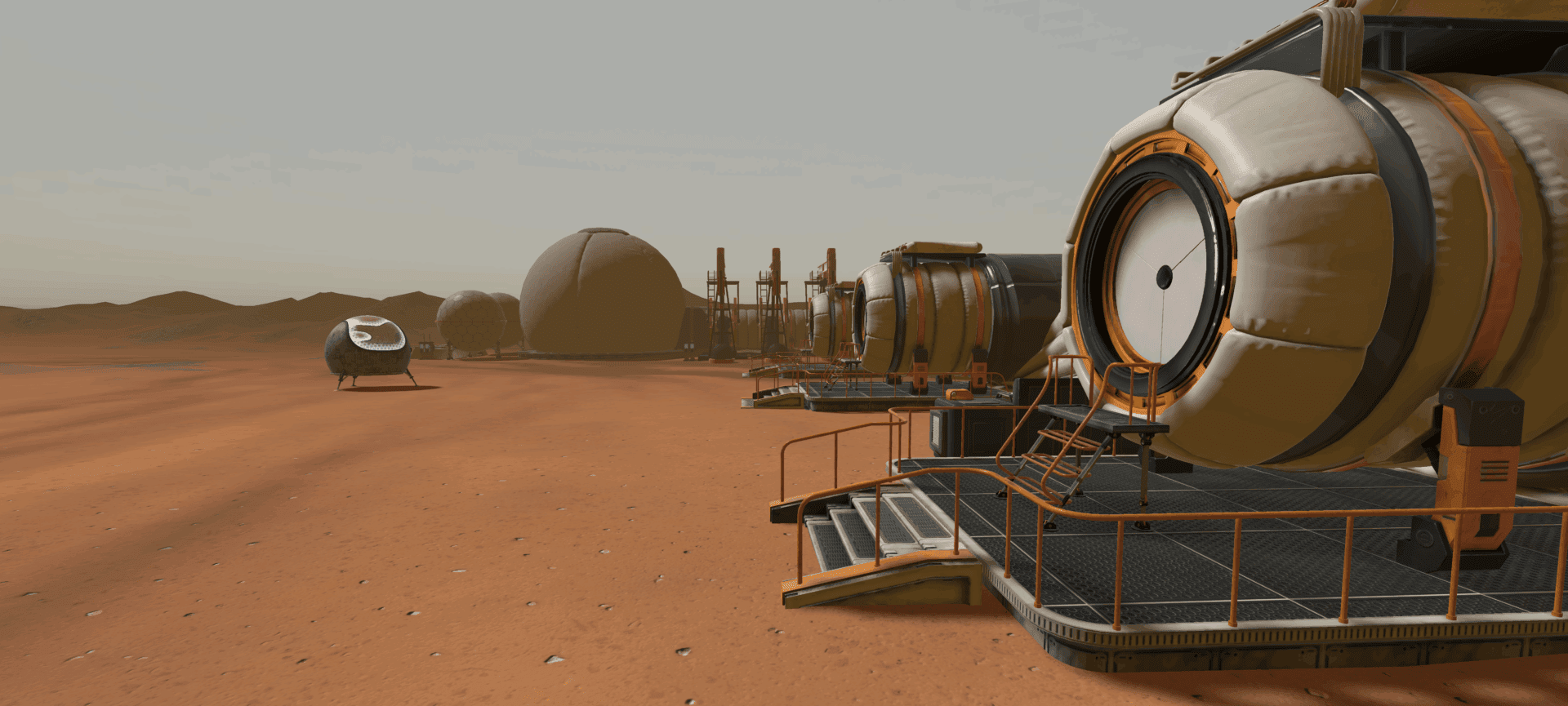
The latest release, created in partnership with Verizon, includes a web-based version of the Prologue and all three episodes of the Mars 2072 expedition, previously available only through the iOS app. These episodes follow a thrilling mission to secure water on the Red Planet and explore sustainability in space and on Earth. Each episode is approximately 10 minutes long, offering short, engaging bursts of learning that are perfect for classroom integration. Visit Verizon Innovative Learning HQ for educator support and micro-credentials relating to TimePod Adventures.

VFT3D Asset Thumbnail Large 2

Prologue  
A tutorial experience introducing students to the TimePod time machine and their virtual guide, ADA. 

Episode 1: Water Crisis  
Students investigate a water emergency on Mars and learn about water scarcity and conservation. 

Episode 2: Aquifer  
Learners repair a broken drill and uncover an underground water source through hands-on problem-solving. 

Episode 3: Heading Home  
A look at the future of the Mars colony and its sustainable practices, with reflections on Earth’s own resource challenges. 

This new trilogy of Mars episodes combines interactive gameplay with curriculum-linked learning, designed to support instruction in STEM, social studies, and Earth/space science. Each episode also builds critical thinking and problem-solving skillsno spaceship required. 

Why Web Access Matters

One of the most exciting aspects of this release is the move from app-only content to full web accessibility. This shift significantly increases classroom flexibility and equity, especially in environments where shared devices, Chromebooks, or BYOD policies are the norm. 

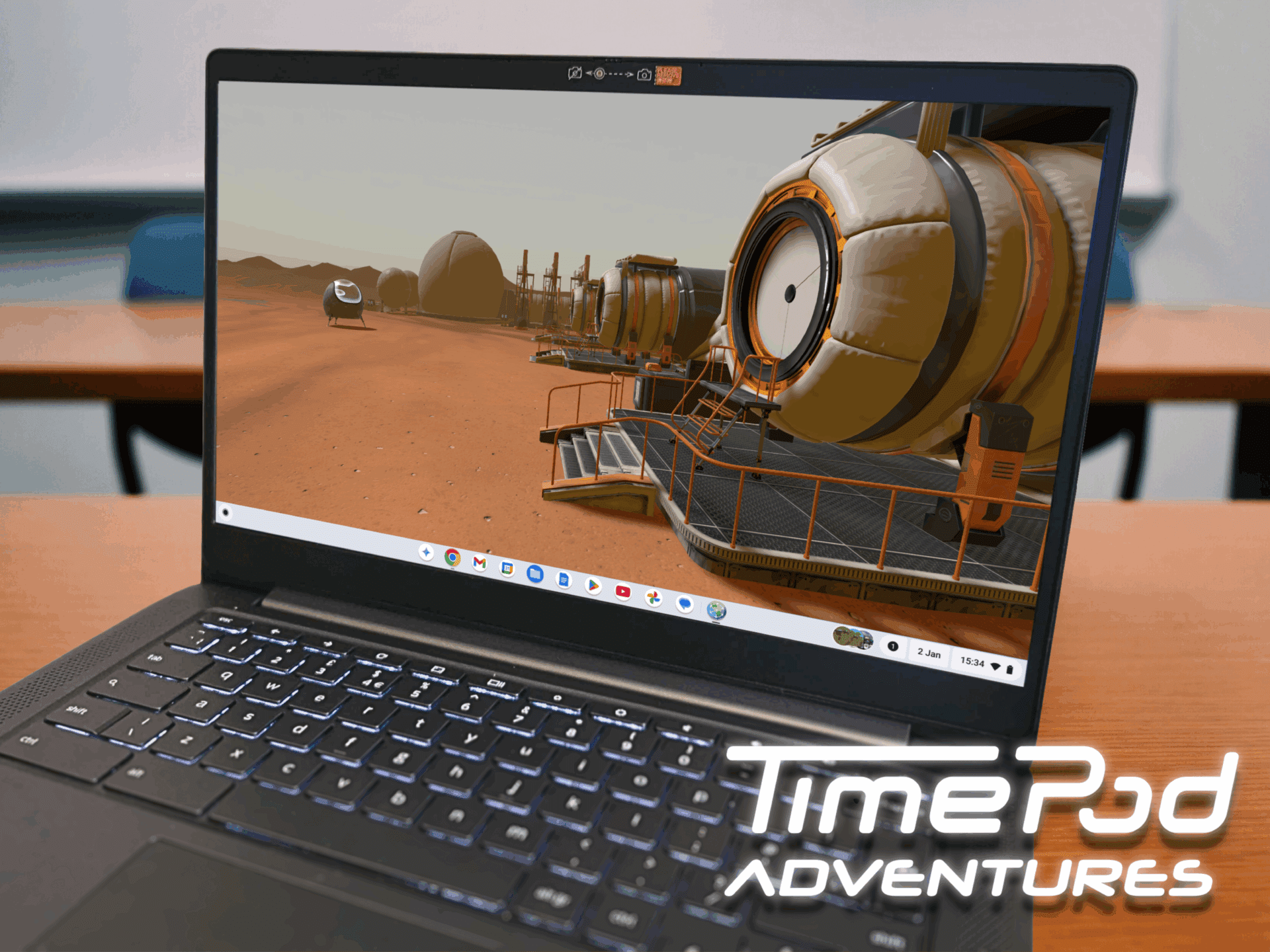
There’s no need to download anything or install software. Just visit DE Experience or timepod.discoveryeducation.com from your preferred device and start exploring. Students can dive into the experience from any device with an internet connection and audio output, making TimePod Adventures more accessible than ever before.

Chromebook mockup 3

The episodes are available in both English and Spanish, with fully translated audio and captions. Whether you’re teaching in a dual-language classroom or supporting multilingual learners, this added flexibility supports diverse learning needs and makes sure no student is left behind. 

Built for the Classroom, Supported by Educator Resources

Designed with educators in mind, TimePod Adventures comes with a suite of teaching materials to help you integrate these journeys into your curriculum with confidence. You’ll find: 

  • A step-by-step Educator Guide for the Prologue to help students get comfortable navigating the TimePod.
  • A comprehensive guide for the Mars 2072 series with detailed explanations, discussion prompts, and extension ideas. 
  • 12 classroom activities (four for each Mars episode) tailored to different grade bands – from K–2 up to 9–12.
Immersive Learning Explore Mars

These assets align with key curriculum standards and are perfect for sparking rich discussions about space exploration, sustainability, and ethical decision-making. 

Immersive Learning That Sticks

At its heart, TimePod Adventures is about more than just time travel. It’s about giving students agency to solve problems, explore historical and futuristic environments, and reflect on the real-world implications of their choices. 

The immersive nature of the episodes – cinematic visuals, a strong narrative voice, and interactive puzzles – makes the learning stick. Students aren’t just watching a video or reading a passage – they’re part of the story. 

When students experience the thrill of driving a Mars rover, uncovering ancient artifacts, or rewiring a broken machine, they engage deeply with scientific and social concepts. These experiences lead to meaningful conversations in the classroom and long-lasting understanding beyond it. 

Ready to Launch

The new TimePod Adventures content is live and ready to explore at timepod.discoveryeducation.com. Whether you’re using it to introduce environmental science, launch a unit on Mars, or enrich your technology curriculum, this tool gives students the chance to explore, analyze, and create meaning from immersive experiences. 

No subscriptions. No logins. No installs. Just incredible, standards-aligned learning – ready whenever you are. 

Screenshot 2025 06 17 at 09 00 33

Ready to Start Your Mission?​

Visit https://timepod.discoveryeducation.com or Discovery Education Experience to play the new episodes, download classroom guides, and bring immersive STEM learning to your students.

The post Explore Mars, Anywhere: New TimePod Adventures Episodes Now Available on the Web appeared first on Discovery Education.

]]>
TimePod Hero Image VFT3D Asset Thumbnail Large -2 Chromebook mockup -3 Immersive Learning Explore Mars Generic Decorative -2 Screenshot 2025-06-17 at 09-00-33
Storytelling in 3D: Bringing Narrative Learning to Life  https://www.discoveryeducation.com/blog/teaching-and-learning/storytelling-in-3d-bringing-narrative-learning-to-life/ Tue, 29 Apr 2025 21:13:59 +0000 https://www.discoveryeducation.com/?post_type=blog&p=189722 Storytelling has long been a cornerstone of effective teaching. From ancient oral traditions to modern digital narratives, stories provide a natural way for students to connect with information, making learning more engaging and memorable. Research has shown that narrative-driven instruction enhances comprehension, fosters critical thinking, and improves information retention. But why is storytelling so powerful […]

The post Storytelling in 3D: Bringing Narrative Learning to Life  appeared first on Discovery Education.

]]>
Storytelling has long been a cornerstone of effective teaching. From ancient oral traditions to modern digital narratives, stories provide a natural way for students to connect with information, making learning more engaging and memorable. Research has shown that narrative-driven instruction enhances comprehension, fosters critical thinking, and improves information retention. But why is storytelling so powerful in the classroom, and how can educators harness 3D technology to amplify its impact? 

The Power of Narrative in Learning

Stories captivate us because they provide context and meaning. When students encounter facts in isolation, they may struggle to see their relevance, but when those same facts are embedded within a narrative, they become part of a journey. Immersive storytelling deepens this connection further by placing students inside the narrative itself. When learners actively engage in a story—rather than passively absorbing information—they experience emotions, make decisions, and develop empathy. 

Immersive learning principles explain that engaging, interactive narratives improve understanding by making lessons feel personal. When students see themselves as part of a story, they become more invested in the material. This is particularly true in subjects like history, literature, and science, where students can step into different perspectives and visualize abstract concepts in context. But traditional storytelling methods have limitations—textbooks, images, and even videos can only take students so far. 

Transforming Storytelling with 3D Model Building in Sandbox

3D technology, like that available in Sandbox, revolutionizes narrative learning by enabling students to build and interact with their own immersive worlds. Instead of simply reading about a historical event, they can reconstruct it. Instead of watching a documentary, they can create their own. This shift—from passive learning to active creation—transforms students into storytellers, not just content consumers. 

Imagine a lesson on Ancient Egyptian temple design. Traditionally, students might read about the grandeur of Karnak or watch a video explaining its significance. While these methods convey information, they lack personal engagement. Now, picture students using Sandbox to build their own Ancient Egyptian narrative.

They begin by constructing a temple, carefully placing columns, statues, and hieroglyphs, making decisions based on historical research. As they create, they consider not just the architecture, but the story behind it—who would have built this temple? Why was it significant? What ceremonies took place here? Perhaps they narrate a scene where a young Egyptian scribe enters the temple to witness a grand festival. In crafting this scene, they must apply knowledge of religious customs, social hierarchies, and artistic styles. They aren’t just learning history; they are stepping inside it. 

Then comes the true power of technology like Sandbox. Using life-sized AR, students can stand beside their creations, experiencing scale and texture in ways that static images cannot provide. A towering obelisk feels imposing when you see it at full height. The intricate carvings on temple walls evoke the pride and craftsmanship of their creators. This sensory engagement helps students internalize not just the facts, but the deeper significance of these structures.

Case Study: The Second World War

In a perfect example of the impact of this approach, Lawford School in Essex used Sandbox to bring WWII history to life through student-created narratives. Instead of just studying the Blitz, students built 3D environments and crafted immersive stories. 

Using Sandbox’s green screen feature, students created news reports interviewing virtual civilians about bombings and first-person videos experiencing an air raid inside an Anderson Shelter. These narratives gave students a personal connection to history, fostering empathy and deeper understanding. 

Teachers reported increased engagement, collaboration, and critical thinking. The project showcased how 3D storytelling transforms history lessons into immersive, memorable experiences.

Screenshot

Empowering Students Through Narrative Creation

Beyond history, this approach can apply to literature, science, social studies, and many more topics. Students can build interactive stories around fictional worlds, model the evolution of a species over time, or create a digital museum showcasing artifacts from a period they’ve researched. The possibilities are endless, but the key takeaway is the same—when students create stories in 3D, they move beyond memorization to deep, meaningful understanding. 

As educators, embracing technology like Sandbox allows us to cultivate critical thinking, creativity, and engagement in ways traditional methods cannot. When students don’t just read history, but build it—when they don’t just hear about cultures, but step into them—their learning becomes an experience, not just a lesson. In the age of digital learning, 3D storytelling is the bridge between education and imagination, giving students the power to bring narratives to life.

Sandbox is now Available for Chromebook

The award-winning Sandbox app has landed on the Google Play Store for Chromebook devices, bringing immersive learning to even more classrooms! 

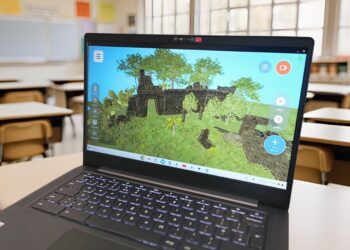
The Chromebook version matches the beloved features of Sandbox: students can create stages, use a vast library of 3D models, explore pre-made scenes, and share their creations between devices. In Sandbox for Chromebook, students shrink themselves down into their scenes and explore them in an interactive, video-game style using a keyboard and mouse. 

Designed for access and equity, Sandbox for Chromebook is helping us work towards every student experiencing hands-on immersive learning and exploring the universe from inside their classroom. 

Untitled design 3

See How Sandbox Can Bring Storytelling to Life

The post Storytelling in 3D: Bringing Narrative Learning to Life  appeared first on Discovery Education.

]]>

Screenshot Screenshot Untitled design – 3 Picture of Hannah McNaughton-Hussain
Measuring Engagement: Tools to Capture Learning Evidence with Sandbox https://www.discoveryeducation.com/blog/teaching-and-learning/measuring-engagement-tools-to-capture-learning-evidence-with-sandbox/ Mon, 07 Apr 2025 19:34:31 +0000 https://www.discoveryeducation.com/?post_type=blog&p=183933 What is Sandbox? Sandbox is an immersive learning tool that transports students to different times and places, helping them emotionally connect with the material they are exploring. This interactive approach leads to better knowledge retention and long-term interest in a topic. Students can choose from hundreds of 3D models—exploring ancient Greece, driving the Mars rover, […]

The post Measuring Engagement: Tools to Capture Learning Evidence with Sandbox appeared first on Discovery Education.

]]>
What is Sandbox?

Sandbox is an immersive learning tool that transports students to different times and places, helping them emotionally connect with the material they are exploring. This interactive approach leads to better knowledge retention and long-term interest in a topic.

Sandbox AR factory jpg

Students can choose from hundreds of 3D models—exploring ancient Greece, driving the Mars rover, diving into ocean depths, or celebrating cultural events like Lunar New Year. Within Sandbox, students can build, explore, and record their learning, making abstract concepts tangible. To enhance the learning experience further, teachers can access classroom activities, instructional videos, and guides in Discovery Education Experience.

But engagement alone isn’t enough. 

While engagement is a crucial first step, it is only meaningful if learning can be measured. Teachers need evidence of student progress, just as they would with traditional lessons. The challenge lies in how to assess and document learning within an immersive environment like Sandbox.

How to Measure Learning in Immersive Experiences

Think of immersive learning in the same way you would approach field trips, lab experiments, or creative projects. The experience itself is engaging, but structured assessment ensures students absorb and apply what they’ve learned. Here are some effective ways to measure understanding:

  • Reflection Activities: After using Sandbox, students can write journal entries, reflections, or exit tickets describing what they built and what they learned.
  • Guided Questioning: Teachers can ask open-ended questions about student creations, encouraging them to articulate their learning process and justify design choices.
  • Comparative Analysis: Students can compare their Sandbox scene with historical accounts, scientific models, or artistic interpretations, demonstrating their understanding of accuracy and representation.
  • Peer Reviews & Discussios: Classmates can review each other’s work, providing constructive feedback and discussing different approaches to the same problem.
  • Concept Mapping: Have students create a concept map or diagram explaining how their Sandbox creation connects to broader topics or real-world applications.

Recording Learning Within Sandbox

Beyond measuring learning, teachers also need efficient ways to capture and document student work. Fortunately, Sandbox provides built-in tools for students to document and share their learning:

  • Screenshots: Students can take photos of their 3D work from any angle, then share, print, or save them for reference.
  • Video Recordings (iPads only): In Sandbox AR, students can record a video of themselves navigating their scene while narrating their design choices or roleplaying historical figures.
  • Text Panels: This tool allows students to place text labels within their 3D space, annotating their work before taking a screenshot.
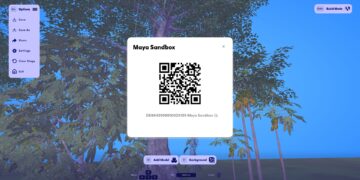
  • Share Feature: The most powerful tool for documentation—students can generate a unique access code to share their work with teachers for later review.

The Share Feature: A Teacher's Best Friend

Manually collecting and reviewing every student’s device would be impractical, but Sandbox’s Share feature streamlines this process. Here’s how teachers can efficiently gather and review student projects:

  1. Students save their work: Before sharing, students should use the Rename tool to give their project a meaningful title, ideally including their own name.
  2. Generate a share code: From the Options menu, students select Share, which generates a QR code and an alphanumeric access code.
  3. Teachers collect projects efficiently:
    • If using an iPad, the teacher can open Sandbox AR, tap Load from QR, and scan each student’s QR code. The projects will then appear in Recent Sandboxes on the teacher’s device.
    • If using Chromebook, students can write down or send their access codes, allowing the teacher to retrieve them later from a single device.

Get Started

Engagement is the key to unlocking deeper learning, but without meaningful assessment, its impact remains unseen. With Sandbox, teachers have a robust suite of tools to not only captivate students but also collect tangible evidence of their learning. By integrating screenshots, videos, text panels, and the Share feature into their lessons, educators can ensure that immersive learning experiences are fun, measurable, and impactful.

Sandbox is Now Available for Chromebook!

The award-winning Sandbox app has landed on the Google Play Store for Chromebook devices, bringing immersive learning to even more classrooms!

The Chromebook version matches the beloved features of Sandbox: students can create stages, use a vast library of 3D models, explore pre-made scenes, and share their creations between devices. In Sandbox for Chromebook, students shrink themselves down into their scenes and explore them in an interactive, video-game style using a keyboard and mouse. 

Designed for access and equity, Sandbox for Chromebook is helping us work towards every student experiencing hands-on immersive learning and exploring the universe from inside their classroom.

Learn More about Sandbox in the Classroom!

The post Measuring Engagement: Tools to Capture Learning Evidence with Sandbox appeared first on Discovery Education.

]]>
Sandbox-AR_factory.jpg
Intrinsic Motivation: Why It’s Lacking in Students and How to Foster It https://www.discoveryeducation.com/blog/teaching-and-learning/intrinsic-motivation-why-its-lacking-in-students-and-how-to-foster-it/ Mon, 07 Apr 2025 19:28:11 +0000 https://www.discoveryeducation.com/?post_type=blog&p=183372 The drive to engage and motivate students is a critical factor in their ability to learn and retain knowledge. Developing these for learners creates the conditions where they are giving their attention and want to learn. Motivation comes in two forms: extrinsic and intrinsic. Extrinsic is often related to a drive to finish, to achieve […]

The post Intrinsic Motivation: Why It’s Lacking in Students and How to Foster It appeared first on Discovery Education.

]]>

The drive to engage and motivate students is a critical factor in their ability to learn and retain knowledge. Developing these for learners creates the conditions where they are giving their attention and want to learn.

Motivation comes in two forms: extrinsic and intrinsic. Extrinsic is often related to a drive to finish, to achieve and obtain the rewards. It can also be driven by not so positive forces. Intrinsic on the other hand is all about pursuing learning for the interest, fulfilment, and even joy it can bring. I can still remember the moments in the classroom where my engagement turned to intrinsic motivation that has fueled a lifelong love of some subjects. 

Students who are intrinsically motivated tend to develop higher engagement levels and achieve greater academic success. It can also lead to a deeper involvement with learning across the board. In reality, we have to achieve learning through combinations of engagement and motivation and sometimes through sheer effort of will.

Extrinsic motivation is by far the easiest to generate. The push to achieve grades, avoid failure (real or perceived) and the desire to achieve rewards are relatively simple to execute in the classroom. These are the mechanics of motivation, and they are important to drive learning. Test scores must be achieved, but what about the more subtle intrinsic motivation? How do we trigger personal interest and enthusiasm for the inherent pursuit of learning?

Some of the barriers to developing intrinsic motivation are: 

  • Overuse of extrinsic rewards: a sole reliance on rewards and grades can diminish the intrinsic value of learning.
  • A lack of autonomy: students with little or no agency in how they learn or how they demonstrate their learning quickly become disengaged. 
  • An overcrowded curriculum: it’s hard to give space to developing intrinsic motivation when it counts. 
  • Engineering motivation: it takes planning and time to create the right conditions.

Curiosity

A great starting point is to create a moment that triggers a strong feeling of curiosity. Curiosity feeds motivation. The more curious, the more we need to engage and discover. One great way to do this is by using immersive content. Immersive content comes in all shapes and sizes, from full blown virtual reality, augmented reality, games based learning, to all the immersive content we have always loved such as books, films and music.

Curiosity Through Immersive Learning

Immersive content can provide a powerful, disruptive moment that makes students stop in their tracks, generating an intense level of curiosity and prompting full attention.

Immersive technologies like Sandbox AR provide an exciting opportunity to engage students on a deeper level. The app allows students to explore historical events, scientific scenarios, geographical environments, and their own created worlds in an interactive, virtual space. Once made, students can scale them up and inhabit them. This powerful sparking of curiosity works on so many levels. Students feel they are experiencing their created world in real life, and this fosters a strong connection with the underlying concept or topic. By making learning more tactile and engaging, students are drawn into the material and motivated to learn for the sake of discovery itself.

By integrating such innovative tools into the curriculum, educators can create meaningful connections between learning and the real world, fostering autonomy, curiosity, and a love of learning that lasts long after students leave the classroom.

AR experiences like those offered by Sandbox AR bridge the gap between abstract concepts and real-world understanding. These tools transform passive learning into active exploration, sparking curiosity and personal interest, the essential drivers of intrinsic motivation.

By integrating such innovative tools into the curriculum, educators can create meaningful connections between learning and the real world, fostering autonomy, curiosity, and a love of learning that lasts long after students leave the classroom.

The post Intrinsic Motivation: Why It’s Lacking in Students and How to Foster It appeared first on Discovery Education.

]]>
gamification-tile.jpg immersion-scuba.png Picture of Phil Birchinall
25 Ways to Use Sandbox in the Classroom https://www.discoveryeducation.com/blog/teaching-and-learning/25-ways-to-use-sandbox-in-the-classroom/ Fri, 04 Apr 2025 19:33:37 +0000 https://www.discoveryeducation.com/?post_type=blog&p=182644 Technology can be a powerful tool for deepening engagement and enhancing student understanding. From exploring ancient civilizations to creating science labs and visualizing math concepts, Sandbox empowers students to design their own virtual and AR experiences, making learning not only interactive but also personalized and unforgettable. Sandbox is available for FREE from the Apple App […]

The post 25 Ways to Use Sandbox in the Classroom appeared first on Discovery Education.

]]>

Technology can be a powerful tool for deepening engagement and enhancing student understanding. From exploring ancient civilizations to creating science labs and visualizing math concepts, Sandbox empowers students to design their own virtual and AR experiences, making learning not only interactive but also personalized and unforgettable.

Sandbox is available for FREE from the Apple App Store and the Google Play Store.

Sandbox is installed on 1.3 million devices worldwide. So, how are educators using it effectively? Below are 25 creative ways to bring Sandbox into your lessons, helping students to connect, create, and learn like never before.

25 Ways to Bring Sandbox into the Classroom

Edit Content

1. Experiential Learning: 84% of math and science teachers think that using immersive technology improves student engagement and interest. Create simulations where students interact with their environment, like exploring a model of the solar system, or setting up a science experiment.

2. Labelling: Encourage students to label parts of scenes they build, such as the anatomy of an animal or parts of a diagram, reinforcing vocabulary and concept understanding. Alternatively, teachers can provide labels in the scene for students to match to the correct objects.

3. Self-Expression: Provide a blank canvas for students to express themselves by designing their own unique spaces, reflecting their interests, culture, and personality. Sandbox’s sharing feature means students can invite one another into their virtual worlds.

4. Scavenger Hunts: Set up scavenger hunts within a scene, encouraging students to search for hidden items or clues, promoting critical thinking and teamwork.

5. Collaborative Creation: Assign groups to co-create scenes, practicing teamwork and combining individual ideas into a shared virtual space. Pass around an iPad and have each student add something new – an engaging way to set up a scene that everyone is invested in.

6. Debates: Set up virtual “stages” for debates, where students can present visual evidence to support their arguments, and fully appreciate different perspectives. Why not stage a debate among pioneers at a real location on the Oregon Trail?

7. Create Your Own Virtual Field Trips: Open up the classroom and take students on augmented reality field trips – to the zoo; to the surface of Mars; to the depths of the ocean or to the Great Pyramid of Giza! Open Sandbox and check out the ready-made locations you can visit today. 

Edit Content

8. Fractions: Visually represent fractions by sorting groups of objects into equal parts, making abstract math concepts more concrete and understandable.

9. Identify and Describe the Properties of 3D Shapes: Place different 3D shapes in scenes, allowing students to physically walk around, examine and label properties like edges, vertices, and faces.

10. Sorting/Ordering Objects: Have students organize realistic objects by size, color, or type, promoting categorization skills and logical thinking.

11. Venn Diagrams: Create a virtual Venn diagram with overlapping spaces where students can sort and place objects based on shared characteristics.

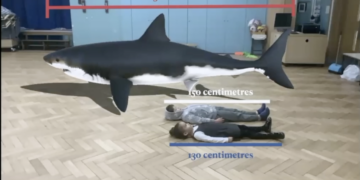
12. Measure, Add, and Subtract Lengths: Use the Sandbox AR measuring tool to compare lengths of objects in the scene, practicing real-world math skills in a hands-on way. 

13. Calculating Perimeter: Build shapes using walls and fences, walk around them in real space, and use Sandbox AR’s measuring tool to calculate perimeter, reinforcing geometry concepts through physical activity. 

Edit Content

14. Creating Poetry: Build a scene inspired by nature or emotions, then have students write poems that reflect their scene, connecting art and language through immersive experiences.

15. Storytelling: Let students create settings for their stories, imagining characters, plotlines, and outcomes, transforming their scenes into engaging narratives. 

16. Creative Writing: Spark imagination by having students explore a unique setting in Sandbox. You’ll find that true immersion leads to elevated descriptions and an emotional connection to the content. 

Edit Content

17. Historical Immersion: Recreate historical settings like ancient civilizations or landmark events to let students step into history and gain firsthand perspective. Use pre-made sandboxes to visit immersive environments such as the Roman forum or the Jamestown settlement, and stage insightful discussions about differing perspectives.

18. Religious Education: Build scenes that represent various religious buildings or traditions, allowing students to learn about and discuss different beliefs and practices in a more tangible way than ever before. Label the key symbols you find using the Text Panel tool.

19. Celebrate Calendar Events in a New Way: Design scenes that reflect seasonal changes or holidays, helping students connect with the time of year and its natural and cultural events.  

Edit Content

20. Animal Classification: Students can place animals into categories based on traits, habitats, or adaptations, building connections with biology and ecology studies.  

21. Observe Seasonal Changes: Design scenes to show the transformation of an environment over time, such as trees changing from spring blossoms to autumn leaves. 

22. Shadows: Experiment with light sources and objects in Sandbox AR to observe how shadows form and change. Place a tall object on the stage then use the Settings menu to change the sunlight angle and see what happens. 

Edit Content

23. Still Life Drawing: Use Sandbox to arrange digital still life scenes with objects that students can draw or sketch, building observational and artistic skills.

24. Create an Art Gallery: Download the free ‘Art’ content pack directly from the app, and ask students to create their very own artwork for your virtual gallery! Use text panels to create labels for the art and ask students to give you a tour around their creations.

25. Filmmaking: Have students use Sandbox AR as their set for creating short films, adding narration and music to enhance storytelling and technical skills. Sandbox AR carries a green screen feature so you can edit your own backgrounds into the film later.

Sandbox is Now Available for Chromebook!

The award-winning Sandbox app has landed on the Google Play Store for Chromebook devices, bringing immersive learning to even more classrooms!

The Chromebook version matches the beloved features of Sandbox: students can create stages, use a vast library of 3D models, explore pre-made scenes, and share their creations between devices. In Sandbox for Chromebook, students shrink themselves down into their scenes and explore them in an interactive, video-game style using a keyboard and mouse.

Designed for simple and easy access, Sandbox for Chromebook is helping us work towards every student experiencing hands-on immersive learning and exploring the universe from inside their classroom.
Sandbox AR 5 scaled

Discover more immersive learning strategies for the classroom!

The post 25 Ways to Use Sandbox in the Classroom appeared first on Discovery Education.

]]>
Sandbox-AR-5-scaled
Reimagining Curriculum with 3D Scene Building https://www.discoveryeducation.com/blog/teaching-and-learning/reimagining-curriculum-with-3d-scene-building/ Thu, 27 Mar 2025 23:32:00 +0000 https://www.discoveryeducation.com/?post_type=blog&p=192244 Educators are always looking for ways to make curriculum-based learning more engaging and impactful and today they have an arsenal of digital learning tools to help. Enter Sandbox, a powerful 3D modeling tool from Discovery Education, designed to bring immersive learning to life on Chromebooks and iPads. This innovative tool makes standards-based instruction more immersive, […]

The post Reimagining Curriculum with 3D Scene Building appeared first on Discovery Education.

]]>

Educators are always looking for ways to make curriculum-based learning more engaging and impactful and today they have an arsenal of digital learning tools to help. Enter Sandbox, a powerful 3D modeling tool from Discovery Education, designed to bring immersive learning to life on Chromebooks and iPads. This innovative tool makes standards-based instruction more immersive, interactive, and effective, transforming how students engage with history, science, geography, and more.

Why Immersive Learning Matters

Immersive learning isn’t just for extra-curricular activities or special classroom moments—it should be integrated into daily instruction to maximize student engagement and comprehension. The power of 3D scene-building allows students to step inside historical events, explore scientific concepts, and connect with content in a way that is memorable, believable, and complete.

Immersion in learning is crucial for creating deep, meaningful experiences. Engaging students through interactive, 3D environments helps them retain information better, develop empathy, and make real-world connections. Immersive learning has been shown to be especially effective when students can explore, manipulate, and experience educational content firsthand.

By integrating 3D scene-building into lessons, educators can:

  • Increase student engagement by making lessons more interactive and hands-on.
  • Improve knowledge retention by allowing students to explore concepts in a multisensory way.
  • Develop critical thinking skills as students make decisions and interact with 3D models.
  • Support varied learning styles, ensuring that all students, regardless of their preferred method of learning, can connect with the material.
    sandbox school teacher student

Bringing Curriculum to Life

Sandbox is a dynamic learning environment that allows students to build and explore curriculum-aligned 3D scenes. The app provides hundreds of topical 3D models that tie directly to state standards, making it easy to align with lesson plans. Whether students are working on a Chromebook or an iPad, they can collaborate and create, building their understanding of key concepts.

How Students Can Use Sandbox

Chrombooks

Students can build their own scenes, organizing objects, structuring environments, and experimenting with concepts while seated and focused in a classroom setting. This helps with classroom management while fostering critical thinking and problem-solving.

iPads

Sandbox scenes can be explored in Augmented Reality (AR). An educator can check students' work and save it for later, or students can look at their classmates’ creations and step inside their own historical reconstructions, scientific simulations, or geographic explorations.

Even in classrooms where only one iPad is available, teachers can still integrate Sandbox AR into their lessons. Students can create 3D scenes on their Chromebooks and then take turns using the iPad to experience their work in life-size AR.

Example: Experiencing the Oregon Trail Like Never Before

A powerful example of Sandbox’s impact is its Oregon Trail experience, available in Discovery Education Experience, where students can visit Three Island Crossing in Idaho, 1836. Traditionally, students might learn about the Oregon Trail by reading a passage in a textbook and looking at a 2D map. With Sandbox, they can step into history.

Standards-Aligned Sandbox Lessons For Oregon Trail: 

  • Have students explore a life-size, animated 3D model of Three Island Crossing to better immerse themselves in the journey.
  • Walk students through the historical scene in the life-size AR, experiencing the Snake River and wagons up close.
  • Using what they see in the AR scene, have students role-play as pioneers and debate whether to cross the river or take a different path.
  • Interacting with historical artifacts in 3D, have students consider what supplies the pioneers needed for their journey.

With Sandbox, students aren’t just learning history—they are experiencing it. They see the scale of the wagons, stand at the river’s edge, and confront the real decisions pioneers faced, gaining deeper historical understanding and stronger analytical skills.

Beyond History: Other Use Cases

While history is a prime subject for immersive scene-building, Sandbox also supports other curriculum subjects, including:

  • Science: Students explore ecosystems, label diagrams, and investigate planetary systems in 3D.
  • Geography: Classes can build and explore landscapes, walk across maps and visit life-size landmarks.
  • ELA: Prompt storywriting and imaginative creative writing using detailed, atmospheric scenes that impart a sense of scale and realism. Use Scenes Mode on the iPad to create stories right from inside Sandbox.

The combination of Chromebooks and iPads allows educators to create blended-learning environments, where students can build their knowledge, explore new ideas, and experience the world beyond the classroom.

Immersive Learning for Every Classroom

Sandbox proves that immersive learning is not just for special projects. It is a practical, free, everyday tool that transforms curriculum-based instruction into an interactive and engaging experience. Whether students are building on Chromebooks or stepping into history with iPads, 3D scene-building is revolutionizing education.

By integrating immersive learning into daily instruction, educators can create more engaging, memorable, and impactful lessons that prepare students for the world beyond the classroom.

Sandbox is now Available for Chromebook

The award-winning Sandbox app has landed on the Google Play Store for Chromebook devices, bringing immersive learning to even more classrooms! 

The Chromebook version matches the beloved features of Sandbox: students can create stages, use a vast library of 3D models, explore pre-made scenes, and share their creations between devices. In Sandbox for Chromebook, students shrink themselves down into their scenes and explore them in an interactive, video-game style using a keyboard and mouse. 

Designed for access and equity, Sandbox for Chromebook is helping us work towards every student experiencing hands-on immersive learning and exploring the universe from inside their classroom. 

Untitled design 3

See How Sandbox Can Bring Storytelling to Life

The post Reimagining Curriculum with 3D Scene Building appeared first on Discovery Education.

]]>
sandbox-school-teacher-student Narrative Writing Prompts-sandbox Untitled design – 3 Picture of Hannah McNaughton-Hussain